
All activity recorded by the extension is stored in the Windows Event Viewer. Easily access it to monitor and filter events.
Connect via Remote Desktop (RDP)
Press Win + R, type eventvwr.msc, and press Enter.
In the left panel, find Windows Logs → Application
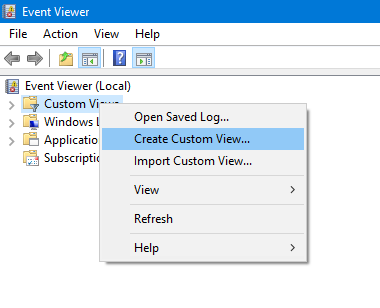
Right-click on Application so the menu appears and select Filter Current Log. In the new window, go to the XML tab.
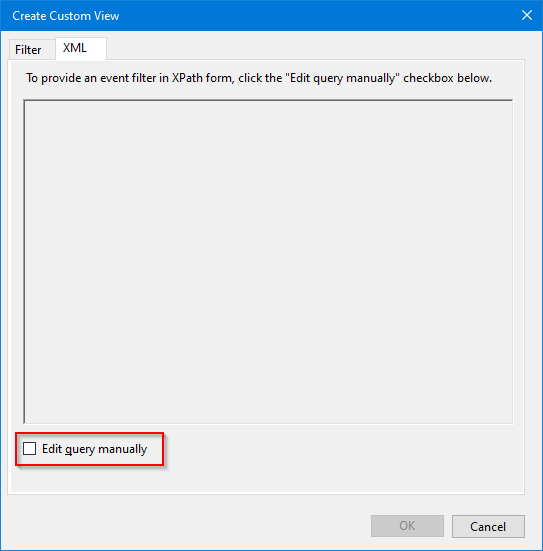
<QueryList>\n<Query Id="0" Path="FlexFirewall">\n<Select Path="FlexFirewall">*[EventData[Data='Indicates the IP']]</Select>\n</Query>\n</QueryList>
Can I disable logging? Yes, here are the steps to disable it globally.